
A smaller release than June — this one is polish and a fix batch. Nothing here changes your numbers; it makes the app better behaved while you use it.
Company logos on every ticker
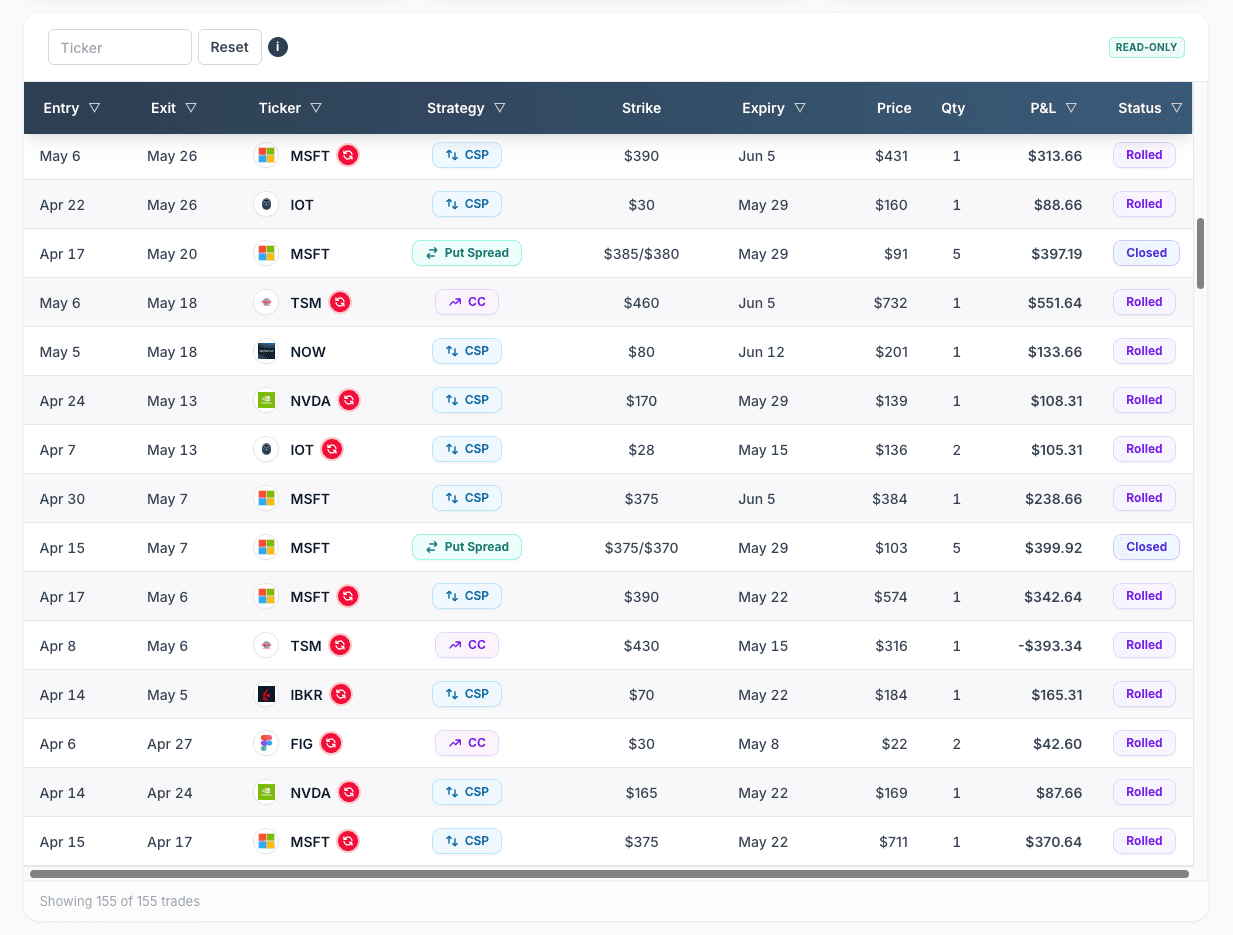
Every ticker in Premium Insights now shows its company logo — on the Home dashboard, in the trades table, and across the calendar. Nothing to turn on, nothing to configure; ETFs and indexes get a clean monogram instead of a broken-image icon. We wrote up the details in the full post →
The app tells you when it's been updated
If you're the kind of trader who leaves a dashboard tab open for days (most of you are), you could quietly end up running an old version of the app. Now, when we ship an update, any open tab shows a small prompt: “Reload to get the latest fixes.” One click and you're current. It never reloads on its own, and dismissing it won't get you nagged again.
- Notifications moved to the bottom-right corner — they no longer cover the controls at the top of the page, and their action buttons now actually look like buttons.
- Notification actions show progress immediately — clicking Reload or Extend Session now shows a “working on it” state right away, instead of appearing to do nothing while the app catches up.
- The calendar no longer skips ahead of you at night. For anyone in a timezone behind UTC — which is every US timezone — the calendar could highlight tomorrow as today late in the evening, and days-to-expiration could read one day short. Both now follow your local day.